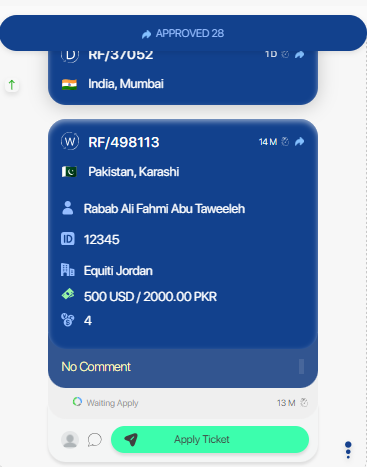
Pakistan ticket
Setup
- Just setup the ticket routing system.
Creation
- Pakistan ticket is one of the tickets received from odoo using this API.
POST /accounting_backend/public/api/v1/odoo_tickets
{
    "Request": "RF/498929",
    "Client": "Rabab Ali Fahmi Abu Taweeleh",
    "PhoneNumber": "False",
    "mobile": "+20 102 442 4052",
    "TradingNumber": "False",
    "SugarClientID": "C00371991",
    "amount": "500.00",
    "DestinationCountry": "Pakistan",
    "DestinationCity": "karashi",
    "OperatingUnit": "Equiti Jordan",
    "CommissionType": "Equiti Jordan",
    "TransferDate": "2024-02-13 11:05:12",
    "Currency": "USD",
    "LocalCurrency": "PKR",
    "LocalCurrencyAmount": "0.00",
    "ArabicName": "False",
    "comment": "False",
    "address": "False",
    "payment_type": "False",
    "key_address": "False",
    "vodafone_number": "01021066271"
}
Note
- Make sure that
Requestattribute have to be a unique value to create new ticket, otherwire the existing ticket id will return.
Validation
- No validation on this API.
Process
Approve
After pass all checks, the ticket will be routed to specific employees to process it based on routing system.

Four things to mention here:
- Rate field can be edited.
- Confirm the field value at the end.
- After confirm all editable fields a new button will appear say "Approve & Send", click it to approve the ticket.
When approve the ticket, the approve handler specified for this type of tickets (odoo_ticket) will run.
Approve handler of odoo_ticket contain these steps:
- Redirect it to custom chats with custom template based on routing system.
Apply
The ticket can be applied from the ticketing page by the employee.
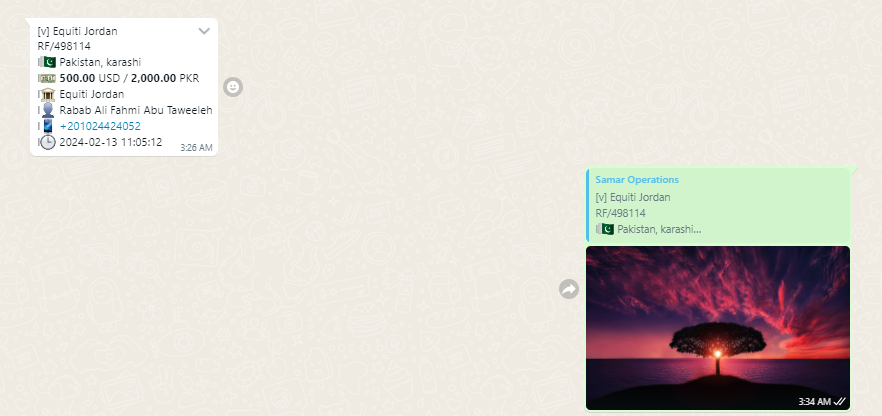
Or by reply on the report with an image: